Do you have a printer that’s taking up valuable space or disrupting the look of your bookshelf? You’re not alone.
Many people struggle with finding a smart way to keep their printers handy but out of sight. Imagine a neat, organized shelf where your printer blends in seamlessly, freeing up room and keeping your space tidy. You’ll discover simple, effective tricks to hide your printer on a bookshelf without making it hard to use.
Ready to transform your clutter into calm? Keep reading and make your bookshelf work smarter for you.
Choosing The Right Bookshelf
Choosing the right bookshelf is key to hiding your printer neatly. It should fit the printer well and blend with your room. The right bookshelf keeps your space tidy and stylish.
Size And Depth Considerations
Measure your printer before buying a bookshelf. The shelf must be deep and wide enough to hold the printer comfortably. Leave some space for cables and ventilation. A tight fit can block airflow and cause overheating.
Open Vs. Closed Shelving
Open shelves show the printer but offer easy access. Closed shelves hide the printer completely. Choose doors or panels that allow heat to escape. Ventilation holes or mesh doors work well. Pick based on how often you use the printer.
Material And Style Matching
Match the bookshelf material with your room’s style. Wood shelves suit cozy, classic rooms. Metal or glass shelves fit modern spaces. Choose colors that blend with your walls and furniture. This helps the printer stay unnoticed.

Credit: www.housebeautiful.com
Creative Printer Placement
Creative printer placement helps keep your space neat and stylish. It hides printers without making them hard to reach. Smart placement blends the printer with your bookshelf design. It saves space and keeps your room tidy.
Using Hidden Compartments
Hidden compartments work well for small printers. Build a secret space behind a false panel. It keeps the printer out of sight but easy to access. Use doors or sliding panels to cover the compartment. This method keeps your printer invisible and your shelf clean.
Incorporating Pull-out Drawers
Pull-out drawers make the printer easy to use and hide. Place the printer on a sturdy drawer inside the bookshelf. Pull the drawer out when you need to print. Push it back to hide the printer after use. This keeps the printer ready but out of view.
Utilizing Adjustable Shelves
Adjustable shelves create a perfect fit for your printer. Move shelves to fit the printer’s height and width. This keeps the printer snug and stable on the shelf. You can change shelf heights for other items later. It offers flexibility and hides the printer well.
Camouflage Techniques
Hiding a printer on a bookshelf can be tricky. Camouflage techniques help your printer blend in without standing out. These methods keep your space neat and stylish while hiding bulky devices. Simple tricks make your printer almost invisible among books and decor.
Blending With Books And Decor
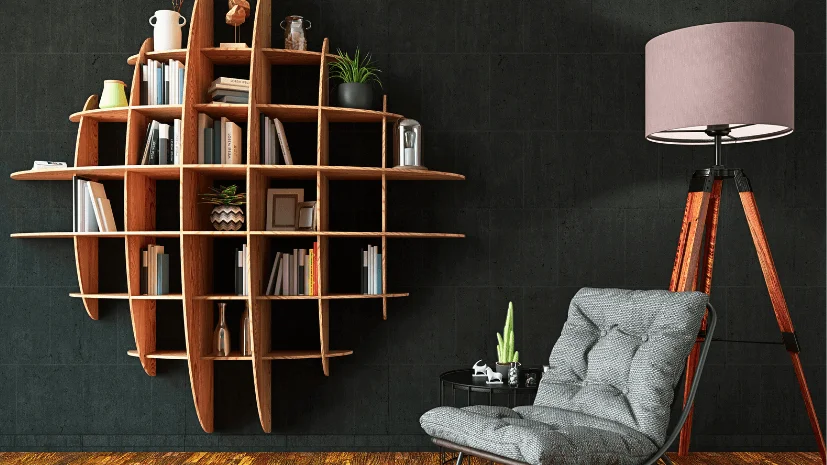
Place the printer between books of similar height and color. Arrange books to cover printer edges and sides. Use small decorations like plants or photo frames nearby. This breaks the printer’s outline and makes it less obvious. Choose decor that matches your room style for a natural look.
Using Decorative Boxes And Bins
Pick a box or bin that fits your printer size. Use materials like wood or woven baskets for a cozy feel. Ensure the box has ventilation holes to avoid overheating. Label the box subtly or leave it plain for a clean look. This hides the printer while keeping it easy to access.
Covering With Fabric Or Panels
Cover the printer with a cloth that matches your shelf colors. Use a lightweight fabric for easy removal and cleaning. Mount thin wooden panels or screens around the printer for a neat barrier. These covers soften the printer’s appearance and blend with surroundings. Choose neutral colors to keep the space calm and unified.
Credit: www.vevor.com
Maximizing Space Efficiency
Maximizing space efficiency on a bookshelf helps keep your room neat. It creates room for more items without clutter. Clever organization hides printers well and saves space. Smart techniques make the most of small areas. Let’s explore simple ways to do this effectively.
Stacking And Layering Strategies
Place the printer on a sturdy lower shelf. Use a flat board above it to create a new surface. Stack light items like paper or books on this board. Layer items so the printer stays hidden but easy to reach. Avoid heavy stacking to prevent damage.
Cable Management Tips
Keep cables tidy with clips or ties. Run cables along the back of the shelf to hide them. Use short cables to reduce tangles and mess. Label cables for quick identification. Organized cables improve the overall look and safety.
Combining Storage With Functionality
Use baskets or boxes to store printer supplies nearby. Choose containers that fit the shelf size. Keep ink, paper, and cords in one place. This method keeps everything neat and easy to find. It also turns your printer area into a smart storage spot.
Maintaining Accessibility
Hiding a printer on a bookshelf can keep your space tidy. Maintaining easy access to the printer is key. You want to use it without hassle. This section covers ways to keep your printer reachable and working well.
Easy Access Solutions
Place the printer on a lower shelf or a pull-out tray. This lets you slide it out when needed. Avoid stacking books or items in front of it. Keep the power button and paper tray free. Label cables for quick connection checks. These tips make printing smooth and fast.
Ventilation And Heat Management
Printers need air to avoid overheating. Leave space around the printer for airflow. Use shelves with open backs or holes. Avoid closed cabinets or tight spaces. Check the printer’s manual for heat warnings. Proper ventilation helps the printer last longer.
Ensuring Wireless Connectivity
Place the printer near your Wi-Fi router for strong signals. Avoid metal objects that block signals. Keep the printer firmware updated for best performance. Use a Wi-Fi extender if the signal is weak. Good wireless connection avoids printing delays and errors.
Diy And Customization Ideas
Hiding printers on a bookshelf can make your space neat and stylish. DIY projects help you create a unique look. Custom ideas fit your room and style perfectly. Below are some simple ways to hide your printer with flair.
Building Custom Enclosures
Custom enclosures keep your printer out of sight. Use wood or sturdy materials to build a box around the printer. Make sure the enclosure has enough space for paper and cables. Paint or stain the enclosure to match your bookshelf. This hides the printer while blending in with your furniture.
Adding Sliding Doors Or Panels
Sliding doors save space and hide the printer quickly. Install tracks on the bookshelf to hold sliding panels. Choose lightweight wood or acrylic for easy movement. Sliding doors keep the printer ready for use but out of view. They add a clean and modern touch to your shelf.
Incorporating Lighting Elements
Lighting adds style and helps you see the printer area. Use LED strips inside the enclosure or behind panels. Soft lighting creates a warm and cozy look. It also makes it easier to operate the printer in low light. Choose battery-powered or plug-in lights for convenience.

Credit: www.reddit.com
Frequently Asked Questions
How Can I Hide A Printer On A Bookshelf Effectively?
Use decorative boxes or baskets to conceal the printer. Place the printer behind books or folders. Ensure proper ventilation and easy access for cables.
What Materials Work Best To Disguise Printers On Shelves?
Wooden or fabric covers blend well with bookshelves. Decorative storage bins also help hide printers neatly while maintaining style.
Does Hiding A Printer Affect Its Functionality?
No, as long as ventilation and cable access are maintained. Avoid completely enclosing the printer to prevent overheating or connectivity issues.
Can I Customize Bookshelves To Hide Printers Better?
Yes, adding doors or sliding panels allows easy printer concealment. Custom shelves can be designed with dedicated printer compartments for neat organization.
Conclusion
Hiding a printer on a bookshelf keeps your space neat and tidy. It blends technology with your room’s style. Small tricks make the printer less visible but easy to reach. Choose shelves with doors or use decorative boxes to cover it.
Keep cables organized to avoid clutter. This simple idea helps your room look clean and organized. Try these tips and enjoy a clutter-free workspace. Your printer can stay hidden without losing its function. A neat room feels better and works better.