Imagine having all your favorite books neatly organized and instantly accessible, no matter where you are. Creating a virtual bookshelf lets you do just that—keeping your collection safe, easy to browse, and perfectly tailored to your taste.
Whether you want to track what you’ve read, plan your next read, or simply showcase your literary treasures, this guide will walk you through simple steps to build your own digital library. Ready to transform how you manage your books?
Let’s dive in and make your virtual bookshelf a reality.

Credit: www.reddit.com
Choosing A Platform
Choosing the right platform is the first step to create a virtual bookshelf. The platform will shape how you organize and share your books. It affects your bookshelf’s look and ease of use. Some platforms offer ready-made tools. Others let you build from scratch. Some focus on community and sharing. Others highlight personal customization. Choose a platform that fits your style and goals.
Popular Virtual Bookshelf Apps
Many apps let you create virtual bookshelves quickly. Apps like Goodreads and Libib offer easy book tracking. They let you add book details and reviews. These apps connect you with other readers. You can follow friends and see their collections. Most apps work on phones and computers. They offer simple ways to update your bookshelf anywhere.
Customizing Your Own Website
Building your own website gives full control over design. You can arrange books any way you want. Use simple tools like WordPress or Wix. These platforms let you add images and descriptions. You can create categories and tags for easy searching. Custom sites let you add personal touches. This option needs more time but offers great flexibility.
Using Social Media For Books
Social media can act as a virtual bookshelf too. Instagram and Pinterest let you share book photos and lists. Use posts or boards to organize books by theme. Social platforms help you reach more readers. You can join book groups and discussions. This method focuses on sharing and connecting with others. It’s easy and free to start.
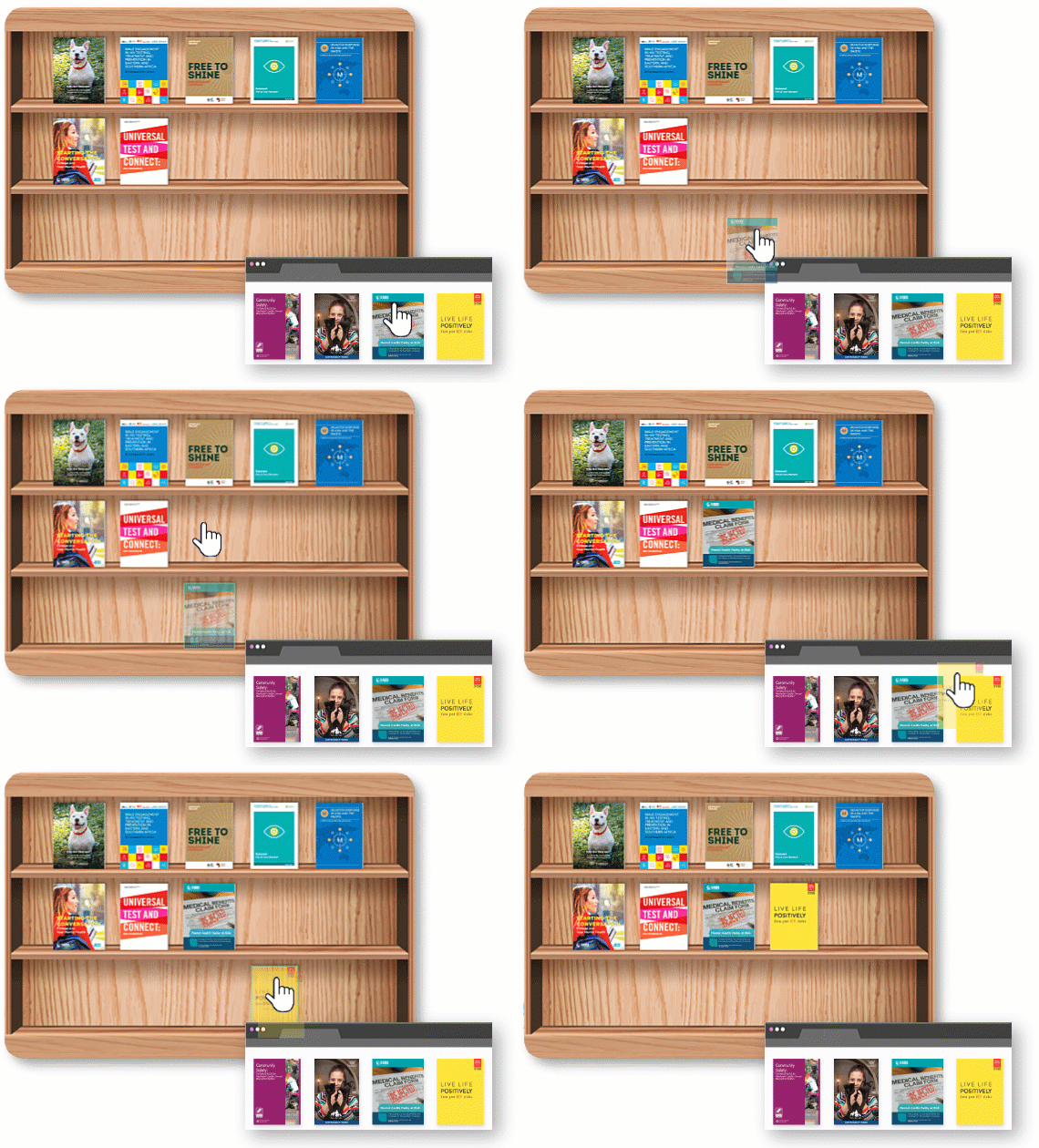
Credit: online.visual-paradigm.com
Setting Up Your Bookshelf
Setting up your virtual bookshelf is the first step to organizing your books online. A clear setup helps you find books fast. It also makes your collection look neat and tidy. Follow simple steps to arrange your books and details properly.
Start by sorting your books into groups. Then add information about each book. Finally, upload cover images to make your shelf visually appealing. Each part is easy and adds value to your virtual library.
Creating Categories And Tags
Categories group books by type or theme. Use broad labels like Fiction, Non-fiction, or Science. Tags are smaller labels that describe details. For example, “Mystery,” “History,” or “Self-help.”
Categories and tags help you find books faster. They also keep your shelf organized and easy to browse.
Adding Book Details
Include key information about each book. Add the title, author, and publication year. Write a short summary or note about the book’s content. This helps you remember why you like it.
Clear details make your shelf more useful. They also let others understand your collection if you share it.
Uploading Cover Images
Cover images make your shelf look attractive. Find good-quality images of your book covers. Upload them next to the book details. This visual touch helps you spot books quickly.
Use images with clear and bright covers. Avoid blurry or dark pictures for best results.
Organizing Your Collection
Organizing your virtual bookshelf helps you find books fast. It makes your reading habits clear. A neat collection keeps you motivated to read more. You can customize it to fit your style and needs.
Here are some simple ways to organize your virtual bookshelf.
Sorting By Genre Or Author
Group books by their genre like fiction, history, or science. This helps you pick books based on your mood. Another way is sorting by author. It’s easy to find all books by your favorite writers this way. Both methods save time and keep your shelf tidy.
Tracking Reading Status
Mark books as “read,” “reading,” or “to read.” This shows your progress clearly. You avoid picking books you already finished. Tracking helps you set reading goals. It also reminds you of books waiting on your list.
Prioritizing Books To Read
Decide which books you want to read first. You can rank them by interest or deadline. This stops your list from becoming overwhelming. Prioritizing keeps your reading focused. It also helps you enjoy books without stress.
Enhancing User Experience
Enhancing user experience is key to making a virtual bookshelf useful and enjoyable. Users should find it easy to navigate, add, and explore books. Simple features can make a big difference in how people interact with their digital collection.
Incorporating Reviews And Ratings
Show user reviews and ratings directly on your bookshelf. Readers trust opinions from others before choosing a book. Adding this feature helps users decide which books to read next. Keep the review process simple to encourage more feedback.
Sharing Your Bookshelf With Others
Allow users to share their virtual bookshelf with friends or online communities. Sharing sparks conversations and book recommendations. Offer easy options to share via email or social media. This makes the bookshelf more social and engaging.
Syncing Across Devices
Enable syncing so users access their bookshelf on any device. Syncing keeps the collection updated everywhere, saving time and effort. Users appreciate reading lists that follow them from phone to tablet. This feature boosts convenience and keeps users connected.
Maintaining Your Bookshelf
Keeping your virtual bookshelf well-maintained is key to enjoying it fully. Regular care helps you find books easily and keeps your collection neat. A tidy bookshelf saves time and makes your reading experience smoother.
Regular Updates And Cleanup
Check your bookshelf often to add new books. Remove titles you no longer want. This keeps your collection fresh and organized. Delete duplicate entries to avoid confusion. Update book details like cover images or summaries to keep information current.
Backing Up Your Data
Save your bookshelf data regularly to avoid losing it. Use cloud storage or external drives for backups. This step protects your collection from accidents or technical problems. A backup lets you restore your bookshelf quickly if needed.
Exploring New Features
Look for new tools and options in your virtual bookshelf app. Features like sorting, tagging, or sharing can improve your experience. Trying new functions helps you organize your books better. Stay curious and explore updates to make the most of your digital library.
Credit: flippingbook.com
Frequently Asked Questions
What Is A Virtual Bookshelf And How Does It Work?
A virtual bookshelf is an online platform to organize and display your book collection digitally. It allows easy access, sorting, and sharing of books without physical space limits.
Which Tools Are Best For Creating A Virtual Bookshelf?
Popular tools include Goodreads, LibraryThing, and Google Books. These platforms offer user-friendly interfaces to add, categorize, and review your books efficiently.
How Can I Customize My Virtual Bookshelf Layout?
Most tools let you choose themes, sorting options, and display styles. Customization helps personalize your shelf to match your taste and improve usability.
Can I Share My Virtual Bookshelf With Others?
Yes, virtual bookshelves often have sharing options. You can share via links or social media, allowing friends to view and recommend books easily.
Conclusion
Creating a virtual bookshelf helps organize your books neatly and clearly. You can add titles, authors, and notes easily. It saves space and lets you carry your collection anywhere. Sharing your shelf with friends becomes simple and fun. Try different apps or websites to find what suits you best.
Keep updating your shelf as you read new books. Enjoy building a personal library that grows with you. A virtual bookshelf makes reading more enjoyable and organized. Why wait? Start your digital collection today.

