Do you want to find out which game consoles are connected to your network quickly and easily? Using an ARP table can help you do just that.
It’s a powerful tool that shows the devices on your network by listing their IP and MAC addresses. Once you know how to read it, you can spot your game consoles without any guesswork. Keep reading, and you’ll learn simple steps to identify your consoles and take control of your network like a pro.

Credit: www.notebookcheck.net
Arp Table Basics
The ARP table is a key tool to find devices on a local network. It helps identify devices like game consoles by linking IP addresses to hardware addresses. Understanding the ARP table basics is important for anyone managing a home or small network.
This section explains what an ARP table is and how it works in simple terms. It will help you use the ARP table to spot game consoles and other devices quickly.
What Is An Arp Table
An ARP table is a list stored in a device’s memory. It matches IP addresses to MAC addresses. The MAC address is the unique ID of a device’s network card. The IP address is the device’s location on the network.
The ARP table helps devices talk to each other. It tells your computer or router where to send data. Each entry in the table shows a device’s IP and MAC address pair.
How Arp Works In Networks
ARP stands for Address Resolution Protocol. It finds the MAC address linked to an IP address. When a device wants to send data, it checks the ARP table first.
If the MAC address is not known, the device sends an ARP request to the network. The device with the matching IP replies with its MAC address. The ARP table updates with this new information.
This process helps devices communicate fast and correctly. It also helps identify devices like game consoles by their MAC addresses.

Credit: www.zenarmor.com
Locating The Arp Table On Devices
The ARP table stores IP and MAC addresses of devices on your network. It helps identify connected devices, including game consoles. Finding this table on your device is the first step. This guide shows how to locate the ARP table on different operating systems.
Accessing Arp Table On Windows
Open the Command Prompt by typing cmd in the search bar. Press Enter to launch it. Type arp -a and press Enter again. This command lists all IP addresses and their MAC addresses stored in the ARP table. Look for your game console’s IP or MAC address here.
Accessing Arp Table On Macos And Linux
Open the Terminal app from the Utilities folder or your app menu. Type arp -a and press Enter. This shows the ARP table with IP and MAC addresses. Scan through the list to find your game console’s details. This method works on most macOS and Linux distributions.
Identifying Game Consoles Using Arp
Identifying game consoles using an ARP table is a practical way to spot devices on your network. The ARP table links IP addresses to MAC addresses. Each device has a unique MAC address. Game consoles often have recognizable MAC addresses that help you find them quickly. This method is useful for managing network traffic and troubleshooting connectivity issues.
Recognizing Console Mac Addresses
Each game console has a specific MAC address pattern. These addresses are unique for every device. By checking the ARP table, you can see the MAC addresses of connected devices. Game consoles usually have MAC addresses that start with certain letters and numbers. Knowing these patterns helps you spot consoles easily. It also helps to label devices correctly on your network.
Common Console Mac Address Prefixes
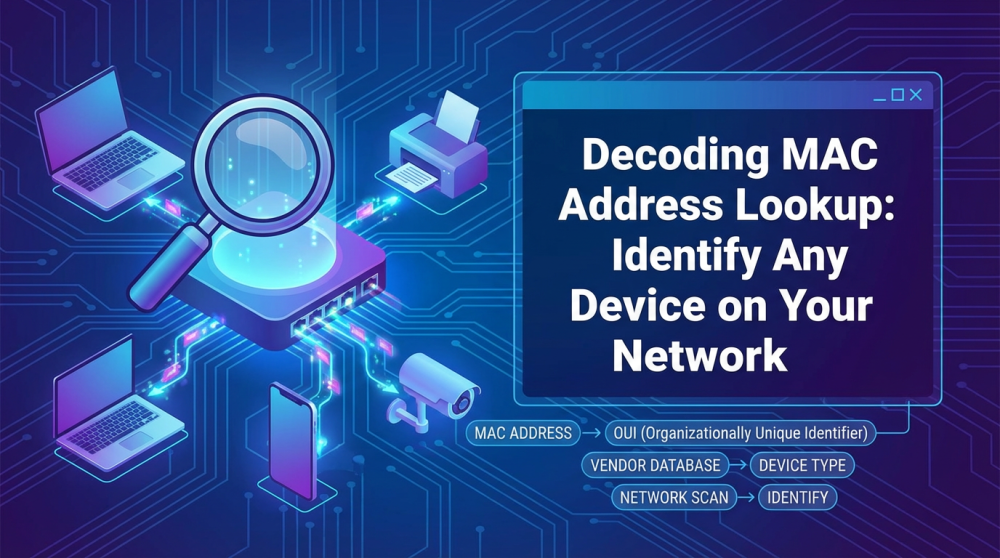
MAC address prefixes identify device manufacturers. Game console makers have assigned prefixes. For example, Sony PlayStation often uses addresses starting with 00:1A:79. Microsoft Xbox devices may start with 00:22:48. Nintendo consoles might show prefixes like 00:0E:35. Recognizing these prefixes helps you find consoles fast. Keep a list of common prefixes to check your ARP table quickly.
Using Arp Table With Network Tools
Using the ARP table with network tools helps identify game consoles on your network. The ARP table shows IP addresses linked to MAC addresses. These MAC addresses can reveal the device type.
Network tools improve the accuracy of this process. They offer ways to check if a device is really a game console. Combining ARP with other tools prevents mistakes and saves time.
Combining Arp With Ping For Accuracy
Ping sends a small signal to a device to check its status. After finding a device in the ARP table, ping it to confirm it is online. If the device responds, it is active on the network.
This step ensures the device is not just listed but also connected. It helps eliminate inactive or old entries in the ARP table. Ping works well with ARP for quick checks.
Using Network Scanners To Cross-verify
Network scanners scan your entire network for devices. They provide detailed information like device type and manufacturer. Use scanners to cross-check ARP table findings.
Scanners identify devices by their MAC address prefix, often linked to manufacturers. This detail confirms if a device is a game console. Scanners add confidence and reduce errors in identification.
Troubleshooting Arp Table Issues
Troubleshooting ARP table issues is key to identifying game consoles on a network. The ARP table links IP addresses to MAC addresses. Problems here can stop you from seeing your game console correctly.
Fixing these issues helps keep your network smooth. It also ensures your console shows up in the ARP table for easy identification.
Dealing With Incomplete Arp Entries
Incomplete ARP entries occur when the table lacks full information. This means either the IP or MAC address is missing. Without complete data, you cannot identify devices properly.
To fix this, try pinging the device’s IP address. This action prompts the device to respond and update the ARP table. Check if the entry fills in after this.
Another cause could be network delays or device inactivity. Keep devices active during your scan to avoid missing entries.
Refreshing The Arp Table
The ARP table may hold outdated information. This can cause confusion when identifying devices like game consoles. Refreshing clears old data and updates the table.
On most systems, you can clear the ARP table using simple commands. For example, use arp -d on Windows or sudo ip -s -s neigh flush all on Linux.
After clearing, ping devices on your network to repopulate the ARP table. This refresh ensures accurate and current device information.
Best Practices For Console Identification
Best practices help you use ARP tables to spot game consoles easily. They protect your network and keep your device info correct. Follow clear steps to avoid confusion and improve device tracking.
Securing Your Network
Start by securing your network. Use strong passwords for your Wi-Fi. Change default router settings to stop unwanted access. Enable encryption like WPA3 for better safety.
Limit who can connect to your network. Use MAC address filtering to allow only known devices. Regularly check your ARP table for unknown entries. Remove devices you do not recognize quickly.
Keeping Device Lists Updated
Keep your device list updated in the ARP table. Add new game consoles as soon as they connect. Note their IP and MAC addresses carefully. This helps you identify them fast later.
Remove devices that no longer connect to your network. This avoids confusion and false alarms. Regular updates make device tracking more accurate and easy. Check your ARP table weekly or after adding devices.
Credit: www.router-switch.com
Frequently Asked Questions
What Is An Arp Table And How Does It Work?
An ARP table maps IP addresses to MAC addresses on a local network. It helps identify devices by linking their network and hardware addresses. This data assists in recognizing connected devices, including game consoles, by checking their unique MAC addresses.
How Can I Find Game Consoles Using An Arp Table?
Look up the ARP table on your router or PC to see connected devices. Match MAC addresses with known console manufacturers to identify game consoles quickly. This helps locate consoles without needing direct access to them.
Which Mac Addresses Indicate Game Consoles In An Arp Table?
Game consoles have specific MAC address prefixes tied to manufacturers. For example, Sony, Microsoft, and Nintendo have unique prefixes. Recognizing these helps pinpoint consoles among other devices in the ARP table.
Can I Use Arp Tables To Troubleshoot Console Network Issues?
Yes, ARP tables show if your console is properly connected to the network. Missing or incorrect entries may indicate connectivity problems, helping you diagnose and fix network issues efficiently.
Conclusion
Using an ARP table helps find game consoles on your network quickly. It shows device IPs and MAC addresses clearly. This way, you can spot consoles among other devices easily. Understanding this tool keeps your network organized and secure. Try checking your ARP table often to track devices.
It’s a simple step that saves time and avoids confusion. Keep practicing, and you will get better at identifying consoles fast. This skill helps manage home networks smoothly and safely.