Is your printer cluttering your workspace or ruining the look of your carefully arranged bookshelf? You’re not alone.
Finding a way to hide your printer without sacrificing easy access can feel tricky. But what if you could keep your printer out of sight while still having it ready whenever you need it? You’ll discover simple, smart tricks to blend your printer seamlessly into your bookshelf.
Keep reading to transform your space and enjoy a cleaner, more organized look—without giving up convenience.

Credit: www.housebeautiful.com
Choosing The Right Bookshelf
Choosing the right bookshelf is key to hiding your printer well. It must fit the printer’s size and shape. The bookshelf should also match your room’s style. This helps keep the space neat and tidy. Below are important points to think about when picking your bookshelf.
Size And Depth Considerations
Measure your printer’s width, height, and depth first. The bookshelf shelf must be slightly bigger than the printer. This allows for easy placement and removal. Also, consider space for cords and ventilation. A shelf too small can cause overheating or damage. Pick a bookshelf with adjustable shelves for more flexibility.
Material And Design Options
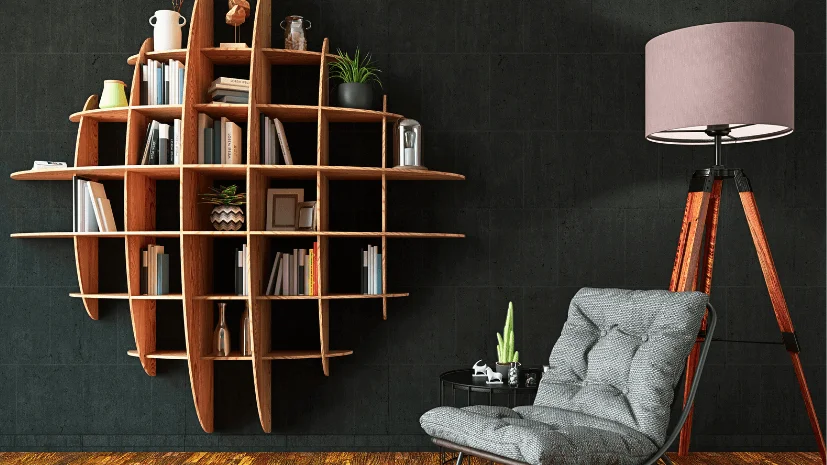
Wood shelves bring warmth and classic style. Metal shelves are strong and modern looking. Plastic shelves are light and easy to move. Choose a material that fits your room’s decor. Simple designs often blend better with home or office spaces. Avoid overly fancy shelves that draw attention to the printer.
Open Vs Closed Shelving
Open shelves make the printer easy to access. But they do not hide it well. Dust can also collect faster on open shelves. Closed shelves hide the printer completely. They protect the printer from dust and damage. Look for shelves with doors that open wide. This allows for quick access without hassle.
Credit: www.vevor.com
Creative Placement Techniques
Creative placement techniques can make a printer blend into your bookshelf. These ideas help keep your space tidy and stylish. They hide the printer without making it hard to reach.
Using Decorative Boxes And Bins
Place your printer inside a large decorative box or bin. Choose a box that matches your shelf’s style and colors. This keeps the printer out of sight but easy to access.
Make sure the box has holes or is open at the back. This allows cables to stay connected without mess. It also lets the printer cool down while working.
Behind Books And Art Pieces
Position the printer behind tall books or art pieces. Stack books on one side and lean art on the other. This creates a natural cover while keeping the printer nearby.
Use books that are thick and tall enough to hide the printer. Art pieces with solid frames also work well as a screen. This setup adds character to your shelf.
Incorporating Plants And Accessories
Place small plants or decorative items around the printer. Green plants soften the look and draw attention away from the device. Accessories like vases or sculptures help too.
Use plants with wide leaves to cover printer parts gently. Arrange accessories to create a balanced, appealing look. This makes the printer part of your shelf decor.
Camouflaging With Decor
Hiding a printer on a bookshelf can make your space look neat and organized. Camouflaging with decor helps the printer blend into the room. You can use colors, fabrics, and custom shelves to keep the printer out of sight. This way, your bookshelf looks stylish without showing the printer.
Matching Printer Color With Surroundings
Choose a printer color that matches your bookshelf or wall. White printers fit well with light-colored shelves. Dark printers blend into black or brown wood. Painting the printer with safe spray paint is an option. This simple step makes the printer less noticeable.
Using Fabric Covers And Curtains
Fabric covers hide the printer while adding a soft touch. Pick a fabric that matches the room’s theme. Curtains can hang in front of the printer space. Use a rod or tension wire to hold the fabric. This method keeps the printer covered but easy to access.
Custom Shelving Inserts
Create special spaces inside your bookshelf for the printer. Add a shelf with a door or sliding panel. This hides the printer completely when not in use. You can also design compartments that fit the printer size. Custom inserts keep the area tidy and stylish.

Credit: www.reddit.com
Functional Hiding Ideas
Functional hiding ideas help keep your printer out of sight without losing easy access. These smart solutions blend the printer into your bookshelf space. They protect the printer and keep your room tidy.
Sliding Panels And Doors
Sliding panels or doors cover the printer with style. You can slide them open when using the printer. This method saves space and hides the printer neatly. Choose panels that match your bookshelf for a clean look.
Pull-out Drawers And Trays
Pull-out drawers or trays make the printer easy to reach. Slide the drawer out to print and push it back to hide. This idea keeps the printer out of sight and protects it from dust. Drawers also help organize printer supplies nearby.
Repurposed Furniture Solutions
Use old furniture to hide your printer cleverly. A repurposed cabinet or desk can fit inside the bookshelf space. Paint or finish it to match your room decor. This approach saves money and adds a unique touch to your home.
Maintaining Accessibility
Hiding a printer on a bookshelf can keep your space tidy. Yet, the printer must stay easy to reach and use. Maintaining accessibility ensures you do not struggle to print or fix paper jams. Good planning helps keep the printer hidden but ready.
Easy Cable Management
Organize printer cables to avoid clutter. Use cable ties or clips to group wires neatly. Run cables along the back or side of the shelf. Keep power and data cords separate to reduce interference. Label cables to find connections quickly. This saves time and keeps the area tidy.
Ventilation And Heat Considerations
Printers create heat while working. Proper airflow prevents overheating and damage. Leave space around the printer for air to flow freely. Avoid enclosing the printer in a tight spot. Open shelves or vents help keep the printer cool. Cool printers last longer and work better.
Quick Access Tips
Place the printer at a reachable height on the shelf. Avoid stacking heavy items on or near the printer. Use a sliding shelf or drawer for easy pull-out access. Keep extra paper and ink nearby for fast refills. These small steps make printing smooth and fast.
Styling Tips For A Cohesive Look
Styling a bookshelf to hide a printer requires care and creativity. The goal is to make the space look neat and stylish. You want the printer to blend well without losing its function. This section offers simple tips to keep your bookshelf both beautiful and practical.
Good styling makes your room feel calm and organized. It helps the printer disappear into the background. Small changes can make a big difference in how your space feels. These tips focus on balance, color, and blending technology with your decor.
Balancing Aesthetics And Function
Keep the printer easy to reach while hiding it from view. Place it on a lower shelf to avoid clutter. Use baskets or boxes to cover the printer without blocking air vents. Leave space around the printer for cables and paper. Balance looks with usability for smooth printing.
Color Coordination Strategies
Match printer covers or cases with the bookshelf color. Use neutral shades like white, black, or gray for a clean look. Add books and decor in similar colors to create harmony. Avoid too many bright colors that draw attention. Consistent color helps the printer blend in.
Blending Technology With Decor
Choose modern or minimalistic printer models to fit your style. Surround the printer with plants or art to soften its shape. Use decorative screens or fabric to hide the device. Keep cords tidy with clips or sleeves that match the shelf. Blend tech items into the room’s theme naturally.
Frequently Asked Questions
How Can I Conceal A Printer On A Bookshelf?
Use decorative boxes or baskets to hide the printer. Place the printer inside a cabinet or behind books. Ensure ventilation to avoid overheating and keep access easy for paper loading.
What Materials Work Best To Hide Printers On Shelves?
Use fabric covers, decorative boxes, or wooden panels. These materials blend with bookshelf aesthetics. Choose breathable options to prevent printer damage and maintain easy access.
Can Hiding Printers Affect Their Functionality?
Proper hiding methods don’t affect printer function. Avoid blocking vents and keep the printer accessible. Ensure the power cord and cables have enough space to avoid damage.
How To Maintain Easy Access When Hiding A Printer?
Place the printer on a slide-out shelf or use removable covers. Keep the front panel clear for paper loading. This ensures quick access without exposing the printer fully.
Conclusion
Hiding printers on a bookshelf keeps your space neat and tidy. It blends technology with your room’s style. You save desk space and reduce clutter easily. Simple steps make the printer less noticeable. Choose a spot with good airflow and easy access.
Small changes can make a big difference. Now, your printer fits quietly into your home or office. Try these ideas and enjoy a cleaner, organized space.